How to Build a Website Using AI Without Coding
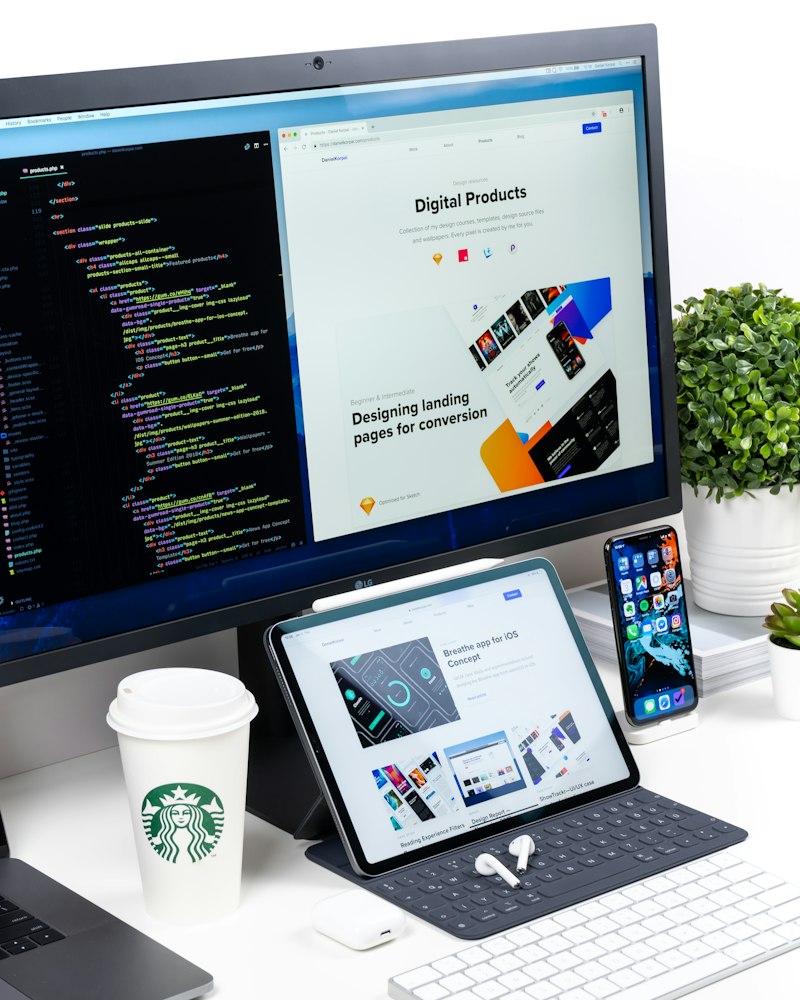
Build a professional website in hours, not weeks, using AI tools. This step-by-step guide covers everything from design to deployment — no coding needed.
The Era of Building Websites Without Writing a Single Line of Code
Five years ago, if you wanted a professional website, you had two options. You could spend months learning HTML, CSS, and JavaScript, or you could pay a developer anywhere from 500 to 5,000 dollars to build it for you. Both options had significant downsides. Learning to code took time most people did not have. Hiring a developer took money most people did not have. And even if you went the DIY route with traditional website builders, you still ended up fighting with clunky drag-and-drop interfaces that produced mediocre results.
That world is over.
In 2025 and 2026, AI-powered website builders can take a simple text description of what you want and generate a fully designed, functional website in minutes. Not a rough template. Not a wireframe. A real, polished website with proper layouts, responsive design, and professional aesthetics.
This is not hype. I have built websites with these tools, and the results genuinely surprised me. What used to take a developer days now takes an AI minutes. And you, with zero coding experience, can do it yourself.
Let me show you exactly how.
---
Understanding AI Website Builders: What They Actually Do
Before we compare specific tools, let us understand what AI website builders actually do under the hood. This will help you choose the right one for your needs.
Traditional website builders like the old versions of Wix or Squarespace gave you templates and let you drag and drop elements around. You still had to make every design decision yourself. Layout, colors, fonts, spacing, content placement, all manual.
AI website builders fundamentally change this. You describe what you want in plain language, something like "I need a website for my photography business with a portfolio gallery, an about page, a contact form, and a booking system." The AI then generates the entire website structure, design, and often even the initial content.
The AI handles:
Page layout and structure
Color scheme and typography
Responsive design (so it looks good on phones and tablets)
Content suggestions and copywriting
Image placement and sizing
Navigation menus
Basic SEO structure
You then review what it created and customize anything you want to change. The AI does 80 to 90 percent of the work, and you fine-tune the remaining 10 to 20 percent.
---
AI Website Builders Compared: Finding Your Perfect Match
There are now several excellent AI website builders, each with different strengths. Let me break them down honestly so you can choose the right one.
Wix AI (ADI)
Best for: Small businesses, portfolios, and anyone who wants everything in one place.
Wix has been in the website builder game for years, and their AI Design Intelligence system is mature and reliable. You answer a series of questions about your business, and Wix generates a complete website.
Strengths:
Extremely beginner-friendly
Built-in e-commerce, booking systems, and email marketing
Huge app marketplace for adding features
Free plan available (with Wix branding)
Limitations:
Designs can feel templated if you do not customize heavily
Free plan shows Wix ads on your site
Can feel bloated for simple sites
Pricing: Free plan available. Premium plans start at around 17 dollars per month.
Framer
Best for: Designers, creatives, and anyone who wants a visually stunning website.
Framer is quickly becoming the darling of the design community. Its AI can generate beautiful, modern websites from a text prompt, and the customization options are extensive. The designs tend to look more premium and polished than most competitors.
Strengths:
Gorgeous, modern designs out of the box
Excellent animation and interaction capabilities
Very fast loading speeds
Great for portfolio and marketing sites
Limitations:
Less suited for complex e-commerce
Steeper learning curve for advanced customization
Smaller ecosystem than Wix or Squarespace
Pricing: Free plan available. Paid plans start at around 5 dollars per month for basic sites.
Lovable
Best for: People who want to build web applications, not just static websites.
Lovable (formerly GPT Engineer) is in a different category. It does not just build static websites. It can build functional web applications with databases, user authentication, and complex logic. If you need a website that does something, like a dashboard, a booking platform, or a tool, Lovable is remarkable.
Strengths:
Can build full web applications, not just static sites
Generates real, deployable code
Handles both frontend and backend
Supabase integration for databases
Limitations:
Overkill for simple brochure websites
Requires more back-and-forth prompting to get things right
The learning curve is steeper than traditional builders
Pricing: Free tier available with limited usage. Paid plans start at around 20 dollars per month.
Bolt.new
Best for: Quick prototypes and functional web apps.
Bolt is similar to Lovable in that it generates real code from natural language descriptions. It is fast, capable, and improving rapidly. It works directly in the browser, so there is nothing to install.
Strengths:
Very fast generation
Runs entirely in the browser
Supports multiple frameworks
Can deploy directly to the web
Limitations:
Better for developers or technically curious users
Less polished for pure design work
Generated sites may need refinement
Pricing: Free tier available. Paid plans start at around 20 dollars per month.
v0 by Vercel
Best for: UI components and landing pages with modern design.
v0 is built by Vercel, the company behind some of the most popular web development tools. You describe a UI component or page, and v0 generates it with clean, modern design. It is particularly good at creating individual components like hero sections, pricing tables, or feature grids.
Strengths:
Generates beautifully designed components
Clean, production-ready code
Modern aesthetic by default
Great for building landing pages piece by piece
Limitations:
Better for individual components than full websites
Requires some technical knowledge to assemble components
More of a design tool than a complete website builder
Pricing: Free tier available. Pro plan at 20 dollars per month.
Squarespace (with AI features)
Best for: Small businesses that want a professional, reliable website with minimal fuss.
Squarespace has added AI features to their already excellent template-based builder. While their AI is not as advanced as some newer competitors, their templates are beautiful and the overall experience is very polished.
Strengths:
Beautiful, professional templates
Excellent e-commerce features
Very reliable and well-established
Good customer support
Limitations:
AI features are more limited than dedicated AI builders
Less flexibility than some alternatives
No free plan (only free trial)
Ready to master AI?
Our Complete AI Bootcamp covers prompt engineering, ChatGPT, MidJourney, vibe coding, AI agents and more — with 110+ video lessons and 2,000+ prompts.
Pricing: Plans start at 16 dollars per month.
---
Which Builder Should You Choose?
Let me simplify the decision for you:
"I want a website for my small business or portfolio" — Go with Wix AI or Squarespace. They are the most straightforward and handle everything you need.
"I want the most beautiful design possible" — Go with Framer. The design quality is a step above the rest.
"I want a website that does things (booking, dashboards, tools)" — Go with Lovable or Bolt.new. They can build functional applications.
"I want to build a landing page for my product or course" — Go with Framer or v0. Both excel at marketing pages.
---
Step-by-Step Tutorial: Building Your Website with Framer AI
Let me walk you through building a complete website using Framer, since it strikes the best balance between ease of use and design quality. The principles apply regardless of which tool you choose.
Step 1: Create Your Account
Go to framer.com and sign up for a free account. You do not need a credit card to start.
Step 2: Start a New Project with AI
Once you are in the dashboard, click "New Project" and select the AI generation option. You will see a text field where you can describe the website you want.
Step 3: Write a Detailed Prompt
This is the most important step. The better your description, the better the result. Here is an example of a strong prompt:
"Create a modern, professional website for a freelance graphic designer. Include a hero section with a bold headline and a call-to-action button. Add a portfolio section showcasing six projects in a grid layout. Include an about section with a photo and bio. Add a services section with three service cards (Logo Design, Brand Identity, Social Media Graphics). Include a testimonials section with three client reviews. End with a contact section that has a form for name, email, and message. Use a clean, minimal aesthetic with a dark theme and accent colors in warm orange."
Notice how specific this is. You are telling the AI exactly what sections you want, what content to include, and what aesthetic to aim for. Vague prompts produce vague results.
Step 4: Review and Iterate
The AI will generate your website in about 30 to 60 seconds. Review it carefully. Some things will be exactly right. Others might need adjustment. You can:
Regenerate the entire site with a modified prompt
Edit individual sections by clicking on them
Ask the AI to modify specific parts by selecting an element and describing what you want to change
Do not expect perfection on the first try. Think of the AI as a very fast designer who needs your feedback. Two or three rounds of refinement usually get you to something excellent.
Step 5: Customize the Content
The AI generates placeholder content, but you need to replace it with your real information. Go through every section and update:
Headlines and body text
Images (upload your own or use the built-in Unsplash integration)
Links and buttons
Contact information
Any specific details about your business or service
Pro tip: Use ChatGPT or Claude to help you write compelling website copy. Give the AI context about your business and ask it to write headlines, descriptions, and calls to action.

Step 6: Optimize for Mobile
Most AI builders generate responsive designs automatically, but always preview your site on mobile. In Framer, you can switch to mobile view and make adjustments specific to smaller screens. Check that:
Text is readable without zooming
Images are properly sized
Buttons are easy to tap
Navigation works smoothly
Nothing overlaps or looks broken
Step 7: Add Essential Pages
Most websites need more than just a homepage. Add these pages as needed:
About page — Tell your story. People buy from people they connect with.
Services or Products page — Detail what you offer with clear pricing if applicable.
Blog — Hugely valuable for SEO. Even a few articles can drive significant traffic.
Contact page — Make it easy for people to reach you.
Privacy Policy and Terms — Required by law in many jurisdictions. AI can help you draft these.
---
Making Your Website Findable: SEO Basics
Building a beautiful website means nothing if no one can find it. Search Engine Optimization, or SEO, is how you make your site appear in Google search results. Here are the basics every website owner needs to know.
Page Titles and Descriptions
Every page on your site needs a unique title tag (the text that appears in the browser tab and in Google results) and a meta description (the short summary below the title in search results). Most AI builders let you set these in the page settings.
Good title example: "Professional Logo Design Services | Jane Smith Design"
Good description example: "Custom logo design for startups and small businesses. Unique, memorable logos delivered in 5-7 days. View portfolio and request a free consultation."
Heading Structure
Use proper heading hierarchy. Your main page title should be an H1 (there should be only one per page). Sections should use H2 headings. Subsections should use H3. This helps Google understand your content structure.
Image Optimization
Every image should have descriptive alt text. This helps with accessibility and SEO. Also, make sure your images are properly compressed so they do not slow down your site. Most AI builders handle compression automatically.
Content That Matches Search Intent
If you want your site to rank for a specific search term, make sure your content genuinely answers what someone searching that term would want to know. Google has gotten incredibly good at understanding intent.
---
Connecting Your Domain and Going Live
Once your website is ready, you need a domain name, which is your website address like "yourbusiness.com."
Buying a Domain
You can buy domains from:
Namecheap — Generally the cheapest option. Domains start around 8 to 12 dollars per year.
Google Domains (now Squarespace Domains) — Simple and straightforward.
Cloudflare — They sell domains at cost, making them one of the cheapest options.
GoDaddy — Popular but often more expensive and aggressive with upsells.
Tips for choosing a domain:
Keep it short and memorable
Avoid hyphens and numbers
Dot com is still the strongest extension for businesses
Make sure it is easy to spell when heard aloud
Connecting Your Domain
Every AI website builder has a process for connecting a custom domain. The general steps are:
1. Buy your domain from a registrar
2. Go to your website builder's domain settings
3. Add your custom domain
4. Update the DNS records at your domain registrar (the builder will give you specific instructions)
5. Wait for DNS propagation (usually 15 minutes to 48 hours)
Most builders also offer free SSL certificates, which means your site will load with "https" and show a secure padlock icon. This is essential for trust and SEO.
Launching
Before you hit publish, go through this pre-launch checklist:
All placeholder content has been replaced with real content
All links work correctly
Contact forms send to the right email address
The site looks good on mobile, tablet, and desktop
Page titles and descriptions are set
Images have alt text
Your privacy policy is in place
You have tested the site in multiple browsers (Chrome, Safari, Firefox)
Then hit publish. Your website is live.
---
Maintaining and Updating Your Website
A website is not a one-and-done project. To keep it working for you, you need to maintain it.
Regular Content Updates
Add new content periodically. This could be blog posts, new portfolio pieces, updated testimonials, or current promotions. Fresh content signals to Google that your site is active and relevant.
Performance Monitoring
Set up Google Analytics (free) to track who visits your site, where they come from, and what they do. This data helps you understand what is working and what needs improvement. Google Search Console (also free) shows you what search terms people use to find your site.
Security and Backups
Most AI builders handle security automatically, but if you are self-hosting, make sure you keep everything updated. Either way, keep copies of your important content somewhere safe.
Iterating on Design
Your first version will not be your last. As you learn more about your visitors and what they want, you will want to update your design, messaging, and structure. AI makes this easy because you can always go back and modify sections or generate new ones.
---
Cost Breakdown: What You Will Actually Pay
Let me give you a realistic cost breakdown for running a website.
Free route (totally possible):
AI website builder free plan: 0 dollars per month
Domain: 8 to 12 dollars per year
Total first year: 8 to 12 dollars
Standard route (recommended for businesses):
AI website builder paid plan: 10 to 20 dollars per month
Domain: 8 to 12 dollars per year
Total first year: 128 to 252 dollars
Premium route:
AI website builder premium plan: 20 to 40 dollars per month
Domain: 8 to 12 dollars per year
Professional email: 6 dollars per month
Total first year: 320 to 624 dollars
Compare this to hiring a developer at 1,000 to 5,000 dollars, and the value becomes obvious. You get a professional website for a fraction of the cost, and you have full control to update it whenever you want.

---
What AI Website Builders Cannot Do (Yet)
Let me be honest about the limitations so you have realistic expectations.
Highly custom functionality: If you need very specific, custom features that no existing tool or plugin provides, you may eventually need a developer. AI builders are great for standard functionality, but edge cases can be tricky.
Complex e-commerce: Basic online stores work great with AI builders. But if you need complex inventory management, custom checkout flows, or sophisticated shipping logic, you might need a more specialized platform like Shopify.
Enterprise-scale applications: If you are building something for thousands of concurrent users with complex backend logic, AI website builders are not the right tool. That requires proper software engineering.
Pixel-perfect brand reproduction: If you have a very specific brand design with exact specifications, AI-generated designs might need significant manual adjustment to match perfectly.
For the vast majority of small businesses, freelancers, portfolios, blogs, and personal sites, these limitations will never affect you. AI builders handle these use cases beautifully.
---
Final Thoughts: Just Start Building
The biggest mistake I see people make with websites is overthinking. They spend weeks researching builders, months picking a domain name, and years saying "I will do it eventually."
Here is the truth: you can have a professional website live on the internet within a few hours. Today. The tools are ready. They are affordable. Many of them are free. And AI has eliminated the need for any technical knowledge.
Pick a builder. Describe what you want. Let the AI generate your first version. Customize it. Connect a domain. Go live.
Your first version does not need to be perfect. It needs to exist. You can improve it every week. You can add content over time. You can redesign it entirely with a new prompt whenever you want.
The best website is the one that is online and working for you. Go build it.
Written by Saad A
AI Expert Instructor with experience at Deloitte, PwC, BMO, and Microsoft. Teaching 24,318+ students worldwide.
Ready to master AI?
Our Complete AI Bootcamp covers prompt engineering, ChatGPT, MidJourney, vibe coding, AI agents and more — with 110+ video lessons and 2,000+ prompts.